
Gaming monitor lene se pehle kaafi cheezein dekhni padti hain: refresh rate, panel type, response time, etc. 2025 mein ₹20,000 ke andar bahut achhe options mil rahe hain. Is article mein main aise monitors discuss karunga jo performance aur value dono offer karte hain.
1. Introduction
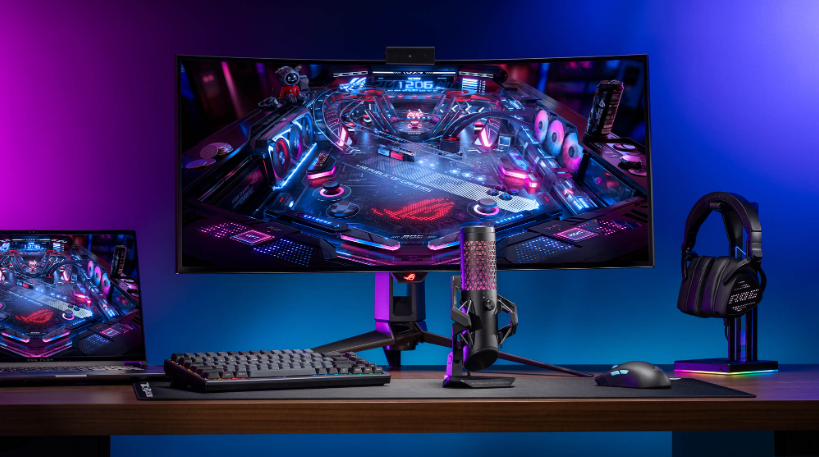
Best Gaming Monitors for Under ₹20,000 (2025) are now offering high refresh rates, fast response times, and IPS/VA panels that make gaming smoother and more immersive.
Gaming performance kaafi hadd tak monitor ki quality pe depend karti hai. Agar monitor slow ho ya blur ho, toh game ka maza nahi aayega, chahe GPU kitna hi powerful ho.
Why ₹20,000?
- Ye price point often amateur gamers, students, ya unke liye hota hai jo budget mein “decent gaming experience” chahte hain.
- Is price range mein aap usually Full HD resolution (1920×1080), 120-240Hz refresh rate, aur kuch modern features jaise FreeSync ya HDMI 2.0 dekh sakte hain.
2. Key Features to Look for in a Gaming Monitor
| Feature | Importance |
| Refresh Rate (120Hz / 144Hz / 165Hz / 180Hz / 200Hz) | Zyada refresh rate ka matlab smoother visuals, especially for fast-paced games (FPS, racing). Under ₹20,000 mein 144Hz ya uske aas-paas achha benchmark hai. |
| Response Time (1ms / 4ms / 5ms) | Low response time helps reduce motion blur and ghosting. 1ms-4ms is recommended for competitive gaming. |
| Panel Type (IPS / VA / TN) | IPS: better color & viewing angles; VA: deeper blacks; TN: ~fast response but color/view angles compromised. IPS or VA are usually better overall. |
| Resolution | Full HD (1920×1080) is standard at this budget. Higher resolution monitors cost significantly more. |
| Adaptive Sync (FreeSync / G-Sync Compatible) | Helps reduce screen tearing & stuttering. FreeSync monitors are easier to find in this budget. |
| Connectivity & Ergonomics | HDMI / DisplayPort, tilt/height adjustment, blue light filter, flicker-free tech — ye chhoti chhoti cheezein gaming comfort ko bahut badha deti hain. |
3. Best Gaming Monitors Under ₹20,000 in India (2025)
Neeche kuch top monitor suggestions hain jo ₹20,000 ya usse neeche mil rahe hain, sahi features ke saath. Prices fluctuate karte hain, toh purchase se pehle current price check kar lena.
| Monitor | Size | Key Specs | Pros | Cons | Approx Price* |
| LG UltraGear 24GN650 | 24″ | IPS, 144Hz, 1ms, sRGB ~99%, FreeSync Premium | Very responsive, good color accuracy, solid build | No built-in speakers; stand may have limited ergonomic adjustability | ~ ₹14,999 |
| Acer Nitro VG270 X1 | 27″ | IPS, 200Hz, 0.5ms, sRGB ~99%, HDR10 | Large screen, very high refresh rate for the price; good for immersive gaming | Bigger size means more desk space needed; HDR is basic | ~ ₹11,500–₹12,000 |
| Samsung Odyssey G3 | 27″ | FHD, 180Hz / 1ms MPRT, FreeSync, DP & HDMI ports | Smooth visuals, curved-or-flat options, decent build, good for fast games | Color vibrance may not match high-end IPS; basic stand adjustments | Price varies, but often falls under ₹18,000 when on sale |
| ASUS TUF Gaming VG259Q3A (24.5″) | 24.5″ | IPS, Full HD, probably 170-180Hz, 1ms, FreeSync / Adaptive Sync | Very good for FPS, low input lag, good response times, reliable brand | Not the cheapest, sometimes HDR lacking; stand adjustments limited on some models | ~ ₹10,000 – 11,000 |
| BenQ MOBIUZ EX2510S | 24.5″ | IPS, Full HD, likely ~144-165Hz, built-in speakers, free sync, decent brightness | All-rounder, good color & sound, ergonomic stand options | HDR isn’t top tier; premium features push price close to upper limit | ~ ₹16,000 approx |
| MSI Optix G24C4 | 24″ (curved) | VA / Curved, Full HD, 165Hz, FreeSync, immersive look | Great immersion due to curve, solid refresh rate, more budget-friendly | VA panels may have slower response vs IPS; curve isn’t for everyone | ~ ₹14,000-₹16,000 |
| ViewSonic XG2431 | 24″ | Fast IPS, 240Hz, 0.5ms, VESA HDR400, height adjustable, great for high frame rate gaming | For shooters & esports fanatics, possibly the fastest in this price class; excellent professional features | May push budget; color saturation in HDR mode may not be premium; speakers absent or minimal | ~ ₹19,000 on sale; might exceed slightly depending on retailer |
*Prices are approximate as of mid-2025; actual retail prices vary with sales, location, import duties, etc.
4. Comparison Table
Here’s a quick-comparison to help decide fast:
| Model | Refresh Rate | Response Time | Panel Type | Best For |
| LG 24GN650 | 144Hz | 1ms | IPS | Balanced performance, color + speed |
| Acer VG270 X1 | 200Hz | 0.5ms | IPS | Fast reaction games, immersive size |
| Samsung Odyssey G3 | 180Hz | 1ms | VA / IPS mix | Large gaming sessions, smooth visuals |
| ASUS TUF VG259Q3A | ~170-180Hz | 1ms | IPS | Competitive FPS, low lag |
| BenQ EX2510S | 144-165Hz | ~1ms | IPS | All-rounder + built-in speakers |
| MSI G24C4 | 165Hz | ~1ms | VA (curved) | Immersive gaming, visual depth |
| ViewSonic XG2431 | 240Hz | 0.5ms | Fast IPS | eSports, high framerate demand |
5. Tips for Choosing the Right Gaming Monitor
Here are kuch helpful tips:
- Know your gaming type
- Agar tum FPS ya competitive shooter khelte ho, toh 144-240Hz & 1ms response time bahut important hai.
- Agar tum RPGs ya adventure games pasand ho, visuals aur color accuracy bhi matter karegi, toh IPS panel aur good contrast dekhna.
- Desk space & viewing distance
Bada monitor agar desk pe comfortably fit ho, aur tum door se baithte ho toh immersive hoga. Par chip-chip ke view pe blur ya eye strain ho sakti hai. - After-sales service & warranty
Monitor kharidne se pehle check karo brand ka service centre network achha ho, parts supply theek ho (especially panel or power adapter). - Eye comfort
Blue light filter, flicker-free technology, adjustable stand (tilt, height) — yeh features gaming sessions ke baad eye fatigue kam karte hain. - Cable & connectivity
Ensure HDMI 2.0 ya DisplayPort ho, especially agar 144Hz+ monitor hai. Also check ports (HDMI + DP) agar console + PC dono use karoge.
6. Conclusion
₹20,000 ke andar ab aise gaming monitors available hain jo pehle premium category mein hote the. Agar preferences thodi smart hain, sahi monitor mil sakta hai.
Recommendations:
- For casual gamer / beginner: LG UltraGear 24GN650 ya ASUS TUF VG259Q3A — balanced, reliable, zyada overkill nahin.
- For high FPS / competitive gaming: ViewSonic XG2431 ya Acer Nitro VG270 X1 — high refresh rate + low latency.
- For immersive & budget-friendly: MSI Optix G24C4 (curve) ya Samsung Odyssey G3 — visual depth ke saath performance bhi achha.
7. FAQs
Q: Is 144Hz monitor enough for gaming in 2025?
A: Haan, 144Hz ab bhi “sweet spot” hai jab tak tum high framerates consistently nahi reach karte—agar GPU aur game allow kare toh 200-240Hz bhi beneficial hain, especially for competitive shooters.
Q: IPS vs VA: Which panel is better for gaming?
A: Agar color accuracy & viewing angle chahiye toh IPS better hai. Agar contrast aur deeper blacks chahiye, VA acha option hai. Lekin VA mein response time thoda zyada ho sakta hai compared to IPS.
Q: Can these monitors be used for consoles (PS5, Xbox)?
A: Haan, full HD aur high refresh rate consoles pe kaam karte hain. Par agar console sirf 60Hz output de rahi ho, toh high refresh rate ka maksad poora nahin hoga. Phir bhi, future compatibility ke liye high refresh rate accha investment hai.