
1. Introduction
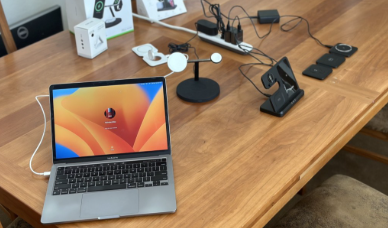
In today’s fast-paced world, staying charged is not just a convenience—it’s a necessity. Smartphones, laptops, earbuds, smartwatches, and even gaming controllers are part of our daily lives, and managing multiple chargers can quickly become messy. This is where charging docks come in.
Charging docks provide a clean, organized, and efficient way to charge multiple devices at once. Whether you’re at home, in the office, or on the go, they’re becoming an essential tech accessory in 2025. In this guide, we’ll explore the different types of charging docks, key features, benefits, and the best options available this year.
2. What is a Charging Dock?
A charging dock is a station designed to power up one or more electronic devices simultaneously. Unlike traditional chargers, which are limited to one device per cable, charging docks let you connect or place several gadgets in one central hub.
- Example: A 3-in-1 wireless dock that charges your phone, smartwatch, and earbuds at the same time.
- Difference from normal chargers: Docks are more organized, often faster, and sometimes wireless, while standard chargers are limited and cluttered.
- Who needs them? Anyone juggling multiple gadgets—students, professionals, gamers, and families.
3. Types of Charging Docks
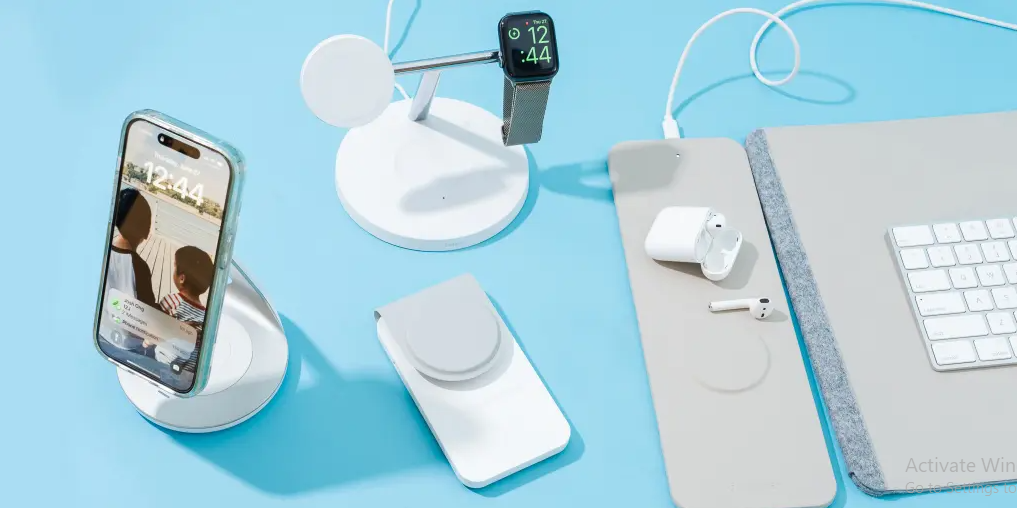
🔌 Phone Charging Docks
- Designed for iPhones, Androids, and MagSafe-supported devices.
- Can be wired or wireless.
- Some even double as stands so you can use your phone while charging.
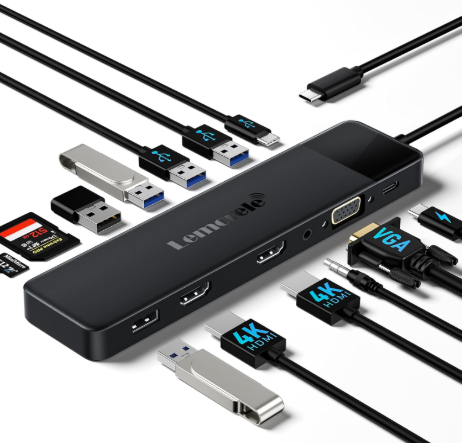
💻 Laptop & Tablet Charging Docks
- Usually USB-C or Thunderbolt powered.
- Combine charging with data transfer and extra ports (HDMI, USB, Ethernet).
- Perfect for professionals and remote workers.
📱⌚🎧 Multi-Device Charging Docks
- Charge phone + smartwatch + earbuds at once.
- Popular among Apple users (MagSafe iPhone + Apple Watch + AirPods).
- Saves space and eliminates clutter.
🎮 Gaming Console Docks
- For PS5 controllers, Xbox controllers, and Nintendo Switch.
- Keeps controllers charged and ready for long sessions.
- Some also act as display stands.
📶 Wireless Charging Docks
- Use Qi wireless technology.
- No cables needed—just place your device.
- Slower than wired, but very convenient.
⚡ Smart Charging Stations
- Equipped with multiple USB ports, fast-charging capabilities, and even AI-based power distribution.
- Ideal for families or offices.
4. Key Features to Look For in a Charging Dock
When buying a charging dock, consider:
- Device Compatibility: iPhone, Android, USB-C laptops, smartwatches, and earbuds.
- Number of Ports / Slots: Single-device vs. multi-device docks.
- Wired vs. Wireless: Wired is faster, wireless is more convenient.
- Fast Charging Support: Look for 20W–100W docks.
- Build Quality & Design: Desk-friendly, lightweight, compact.
- Safety Features: Overcurrent, overheating, and short-circuit protection.
- Smart Features: LED indicators, automatic shut-off, and app integration.
5. Benefits of Using a Charging Dock
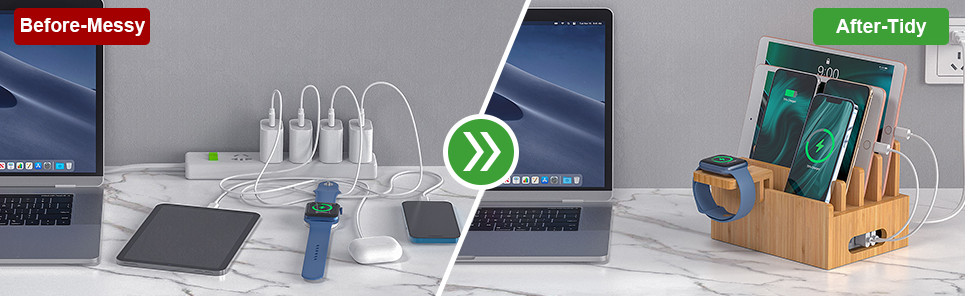
- Convenience: Charge multiple gadgets in one place.
- Space-Saving: No messy cables on your desk or bedside.
- Faster Charging: Many docks support PD (Power Delivery) for speed.
- Travel-Friendly: Replace multiple chargers with one hub.
- Durability: Protects devices and extends battery life.
6. Top Charging Docks in 2025 (Recommended Picks)
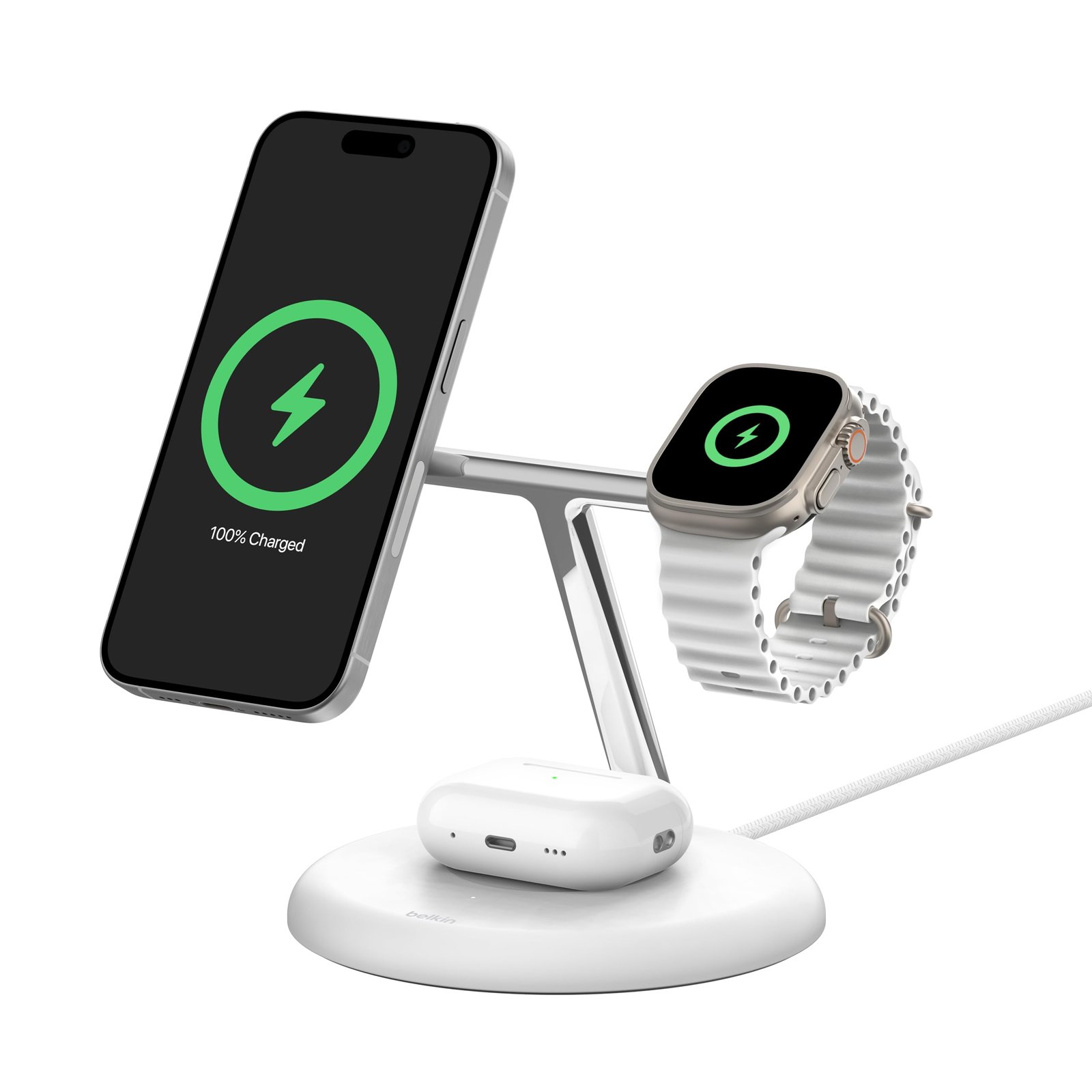
- Best for iPhone Users: Apple MagSafe Duo Dock (phone + watch + AirPods).
- Best for Android Users: Samsung Trio Wireless Charging Pad.
- Best Multi-Device Dock: Belkin BoostCharge 3-in-1 Dock.
- Best Laptop Dock: Anker 777 Thunderbolt Dock (100W PD + multiple ports).
- Best Gaming Dock: Nintendo Switch OLED Docking Station.
- Best Budget Option: UGREEN 3-in-1 Charging Station.
👉 Pro Tip: If you’re into affiliate marketing, this is where you can link to Amazon or official stores.
7. How to Choose the Right Charging Dock for Your Needs
- For Individuals: A single wireless dock or compact USB-C charger.
- For Families: Multi-port or multi-device charging stations.
- For Gamers: Console-specific docks with LED indicators.
- For Professionals: Laptop + phone docks with data transfer ports.
- Budget vs. Premium: Decide based on usage frequency and device count.
8. Common Issues & Troubleshooting Tips
- Dock Not Charging Properly: Check cable quality and power adapter.
- Overheating: Avoid using the dock on soft surfaces (like beds).
- Compatibility Problems: Always confirm device support before purchase.
- Slow Charging: Ensure a fast-charging cable and adapter are used.
- Maintenance: Clean dust regularly and avoid overloading ports.
9. Future of Charging Docks

- Wireless-Only Future: Expect more MagSafe & Qi-based docks.
- Superfast Charging: 100W+ docks are becoming mainstream.
- Smart Home Integration: AI-powered docks that optimize charging.
- Eco-Friendly Options: Sustainable materials and energy-efficient charging.
10. Conclusion
Charging docks are no longer just accessories—they’re essential tools in 2025. From keeping your gadgets organized to saving space and enabling faster charging, they bring both convenience and efficiency. Whether you’re a student, gamer, or professional, the right dock can make your daily routine much smoother.
If you’re considering one, check the types, features, and compatibility before buying. A good charging dock is an investment in both time and convenience.
11. FAQs
Q1: Can charging docks damage my device?
👉 No, as long as you choose a certified dock with built-in safety features.
Q2: Are wireless charging docks slower than wired ones?
👉 Yes, wired charging is generally faster, but wireless is more convenient.
Q3: Do charging docks support fast charging?
👉 Many modern docks support fast charging, especially USB-C PD docks.
Q4: Can I use one dock for both iPhone and Android?
👉 Yes, but only if it supports Qi wireless charging or has universal USB-C ports.Q5: How many devices can I charge at once?
👉 It depends on the dock—some support 2 devices, while advanced stations can handle 5–6 at a time.
Pingback: iPhone 17 (2025): Full Specifications, Price in India, Features, and Launch Date - GadgetMantra
Pingback: Samsung Galaxy S25 Series Review: Price, Specs, Features & Camera Details - GadgetMantra